

Shubham Maurya
4 min read · Thu May 14 2026
Flutter POS App
Most small cafes and food businesses don't fail because of bad food - they struggle because of inefficient operations.
Manual order tracking, missed entries, inconsistent billing, and lack of insights create friction every single day.
I wanted to solve this.
So I built a cross-platform POS (Point of Sale) app using Flutter - focused on speed, simplicity, and real-world usability.
The Problem
In many small setups:
- Orders are tracked manually or loosely
- Missed orders = lost revenue
- No visibility into daily sales or top items
- Billing is inconsistent
- Printing is unreliable or unavailable
- Apps don't work across devices (Android, desktop, etc.)
What they need is not a "complex ERP system".
They need:
Fast. Simple. Reliable.
The Solution
A lightweight POS system that handles:
- Order creation (with variants)
- Billing & receipt printing
- Sales tracking
- Backdated entries (for missed orders)
- Works across multiple platforms
Built entirely using Flutter, with Supabase as backend
Core Features
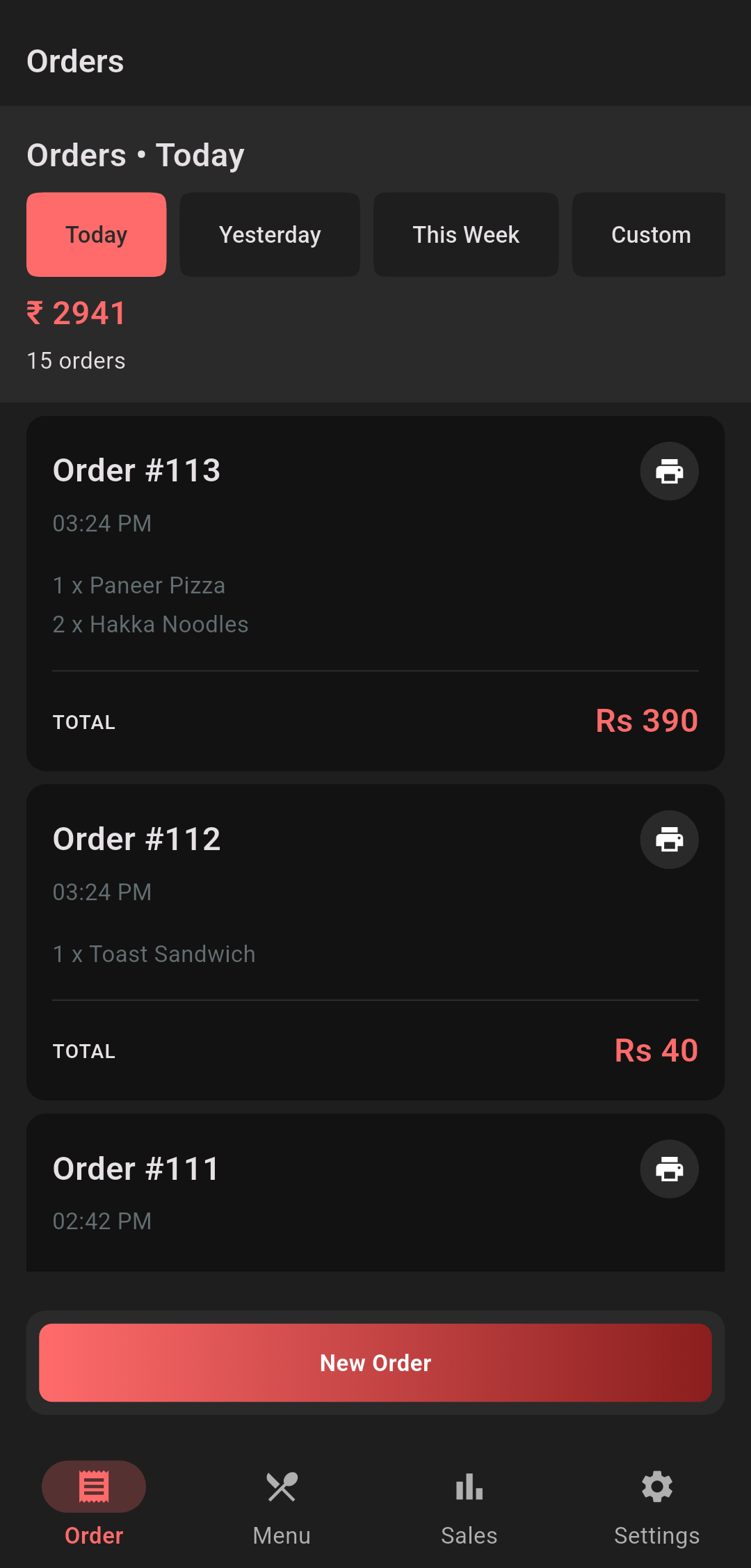
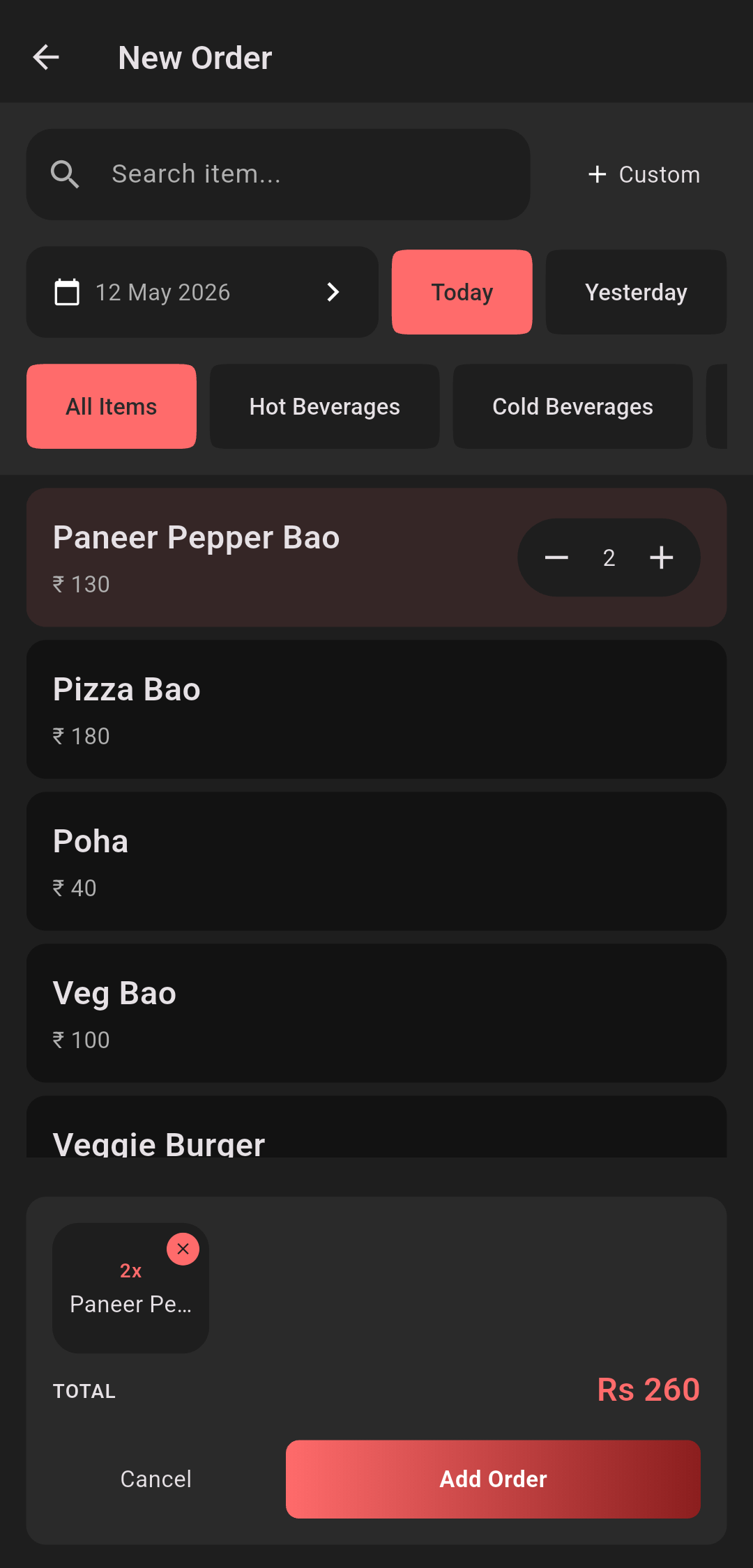
1. Smart Order Management
- Add items quickly with search & suggestions
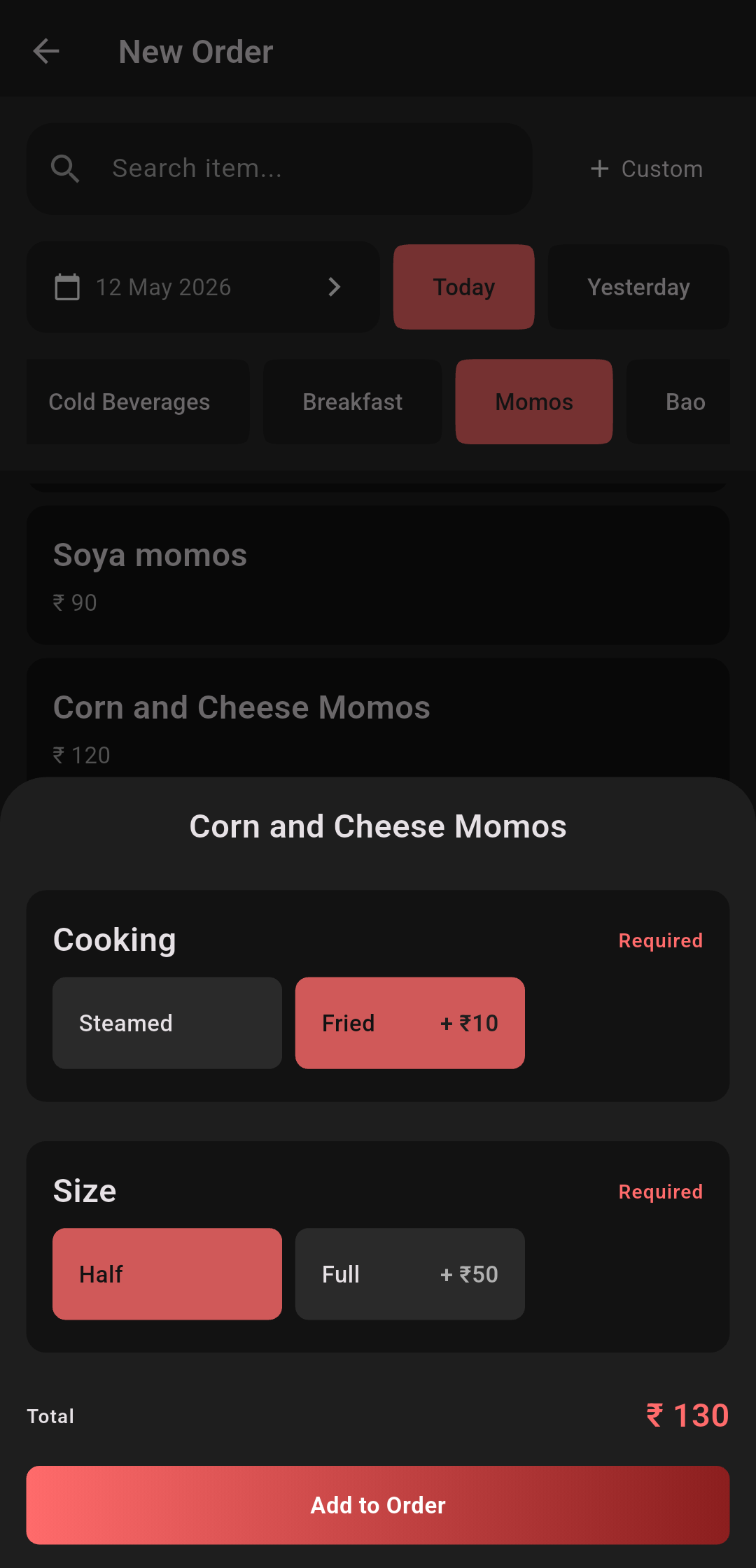
- Support for variants (e.g., Steamed & Fried)
- Same item with different variants treated separately
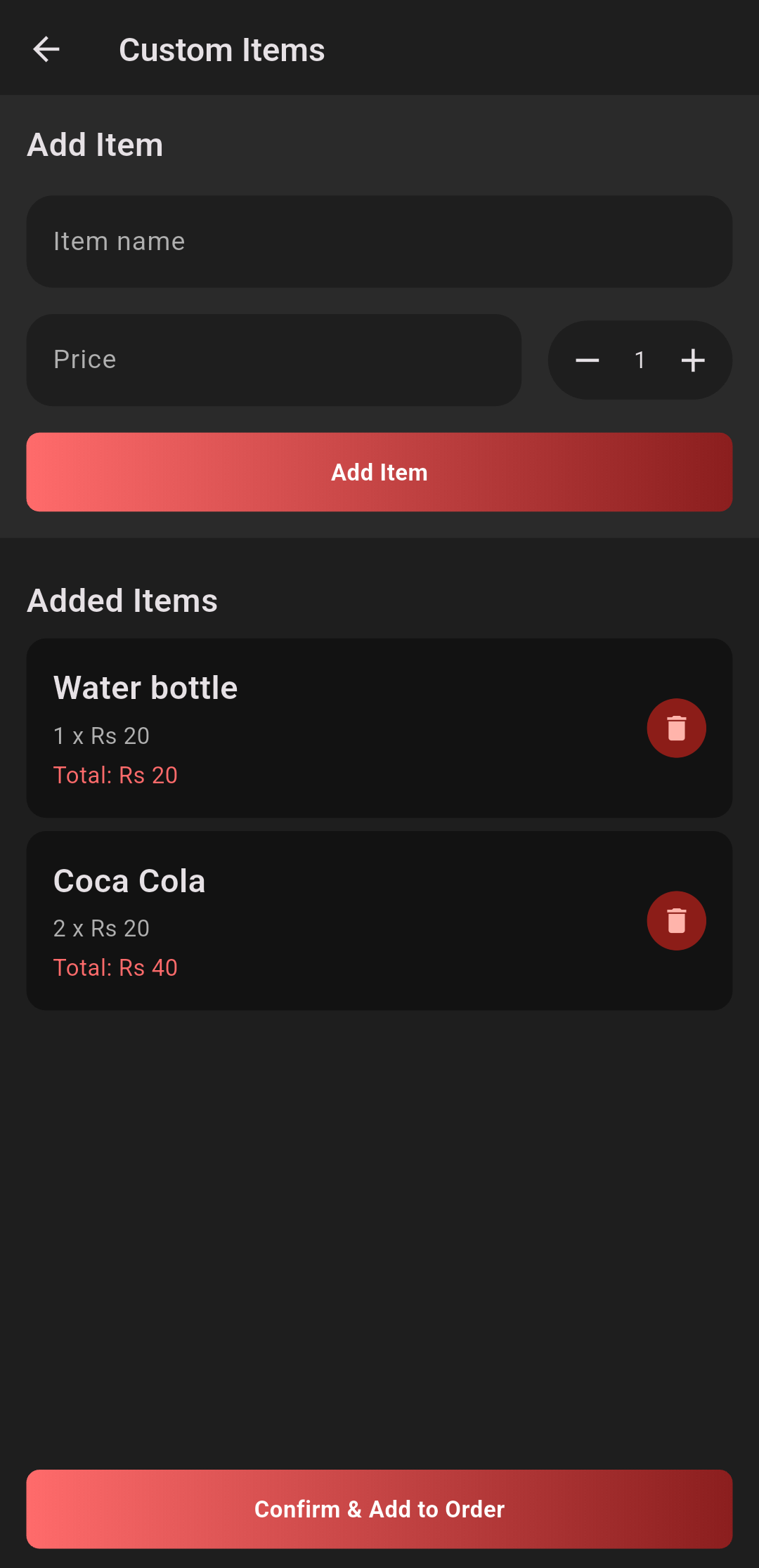
- Custom items supported (non-menu entries)
This allows flexibility without breaking structure.
2. Accurate Pricing Engine
Each order item calculates:
Total = Quantity x (Base Price + Variant Price Delta)
This ensures:
- Transparent billing
- Correct totals even with customizations
3. Receipt Printing (ESC/POS)
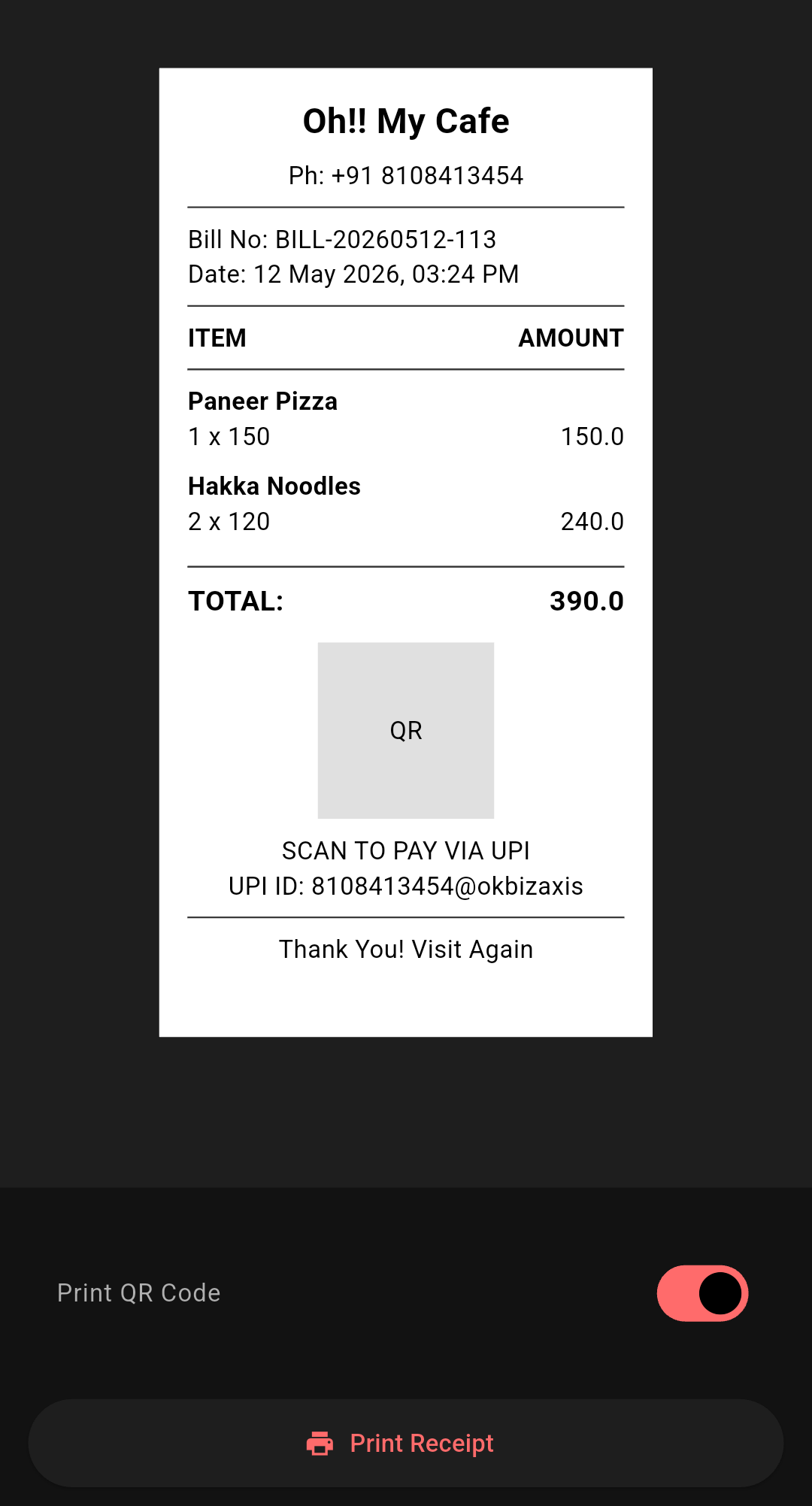
One of the most importatnt parts of any POS
The app supports:
- Bluetoot / USB printers
- 58mm / 72mm / 80mm thermal printing
- QR-based payments (UPI)
- Structured receipts with: - Items - Variants - Totals - Branding
And importantly:
Reliable printing with chunked writes (avoiding buffer crashes)
4. Sales & Analytics Dashboard
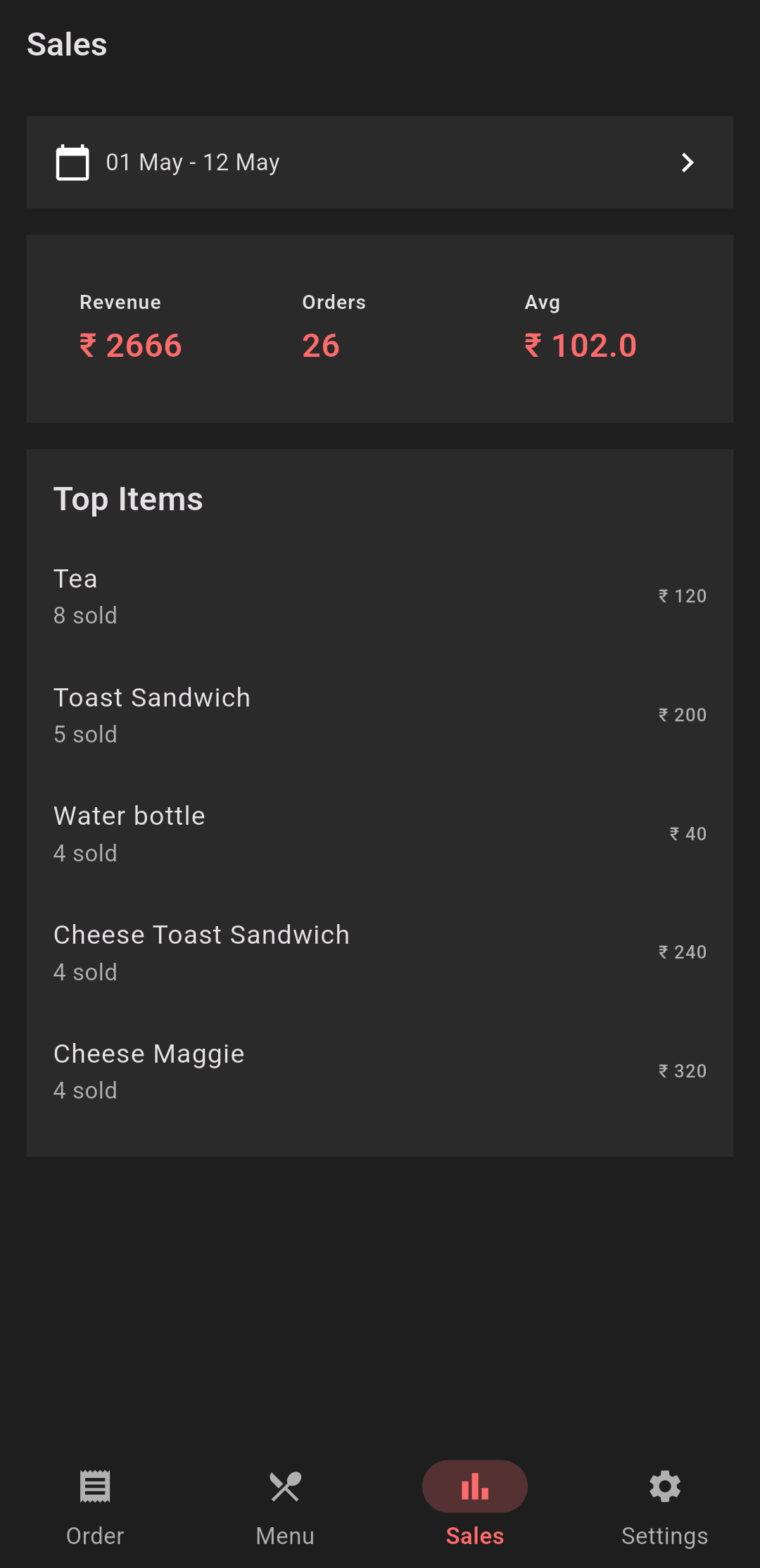
Not just order-taking -- decision-making
The app provides:
- Revenue for selected date range
- Total orders
- Average order value
- Top-selling items
This helps answer:
What sells the most?
What earns the most?
5. Backdated Orders
In real operations:
Orders get missed.
So the app allows:
- Selecting a custom date while creating/editing orders
- Logging past entries acurately
This is critical for
- Daily reconciliation
- Accounting accuracy
6. Intelligent Search & Suggestions
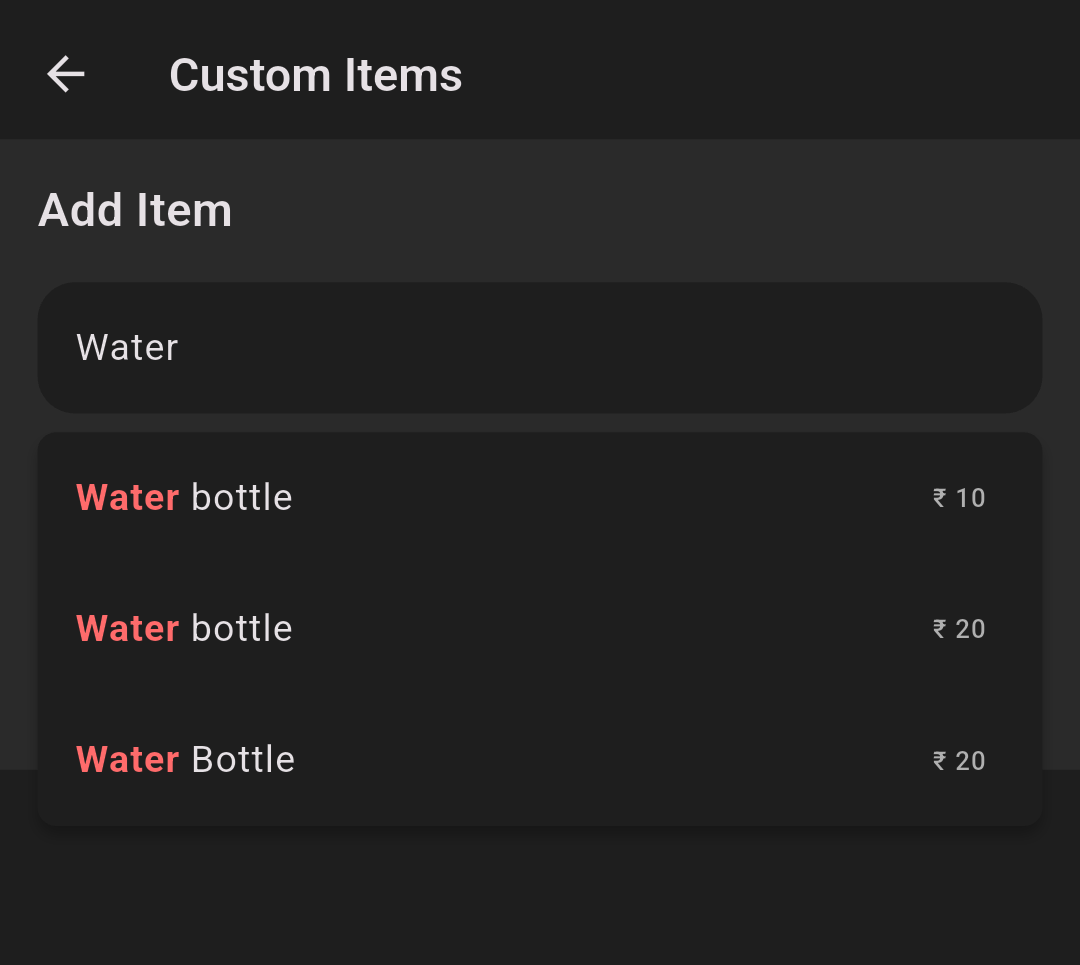
Typing: "Cola"
Matches: "Coca Cola"
With:
- Highlighted matches
- Price autofill
- Fast entry workflow
7. Adaptive UI (Speed-first Design)
Designed for fast interaction:
- Draggable cart (collapsed -> expanded)
- Sticky total bar
- Variant selection sheets
- Minimal navigation
Everything is optimized for:
Tap -> Decide -> Complete
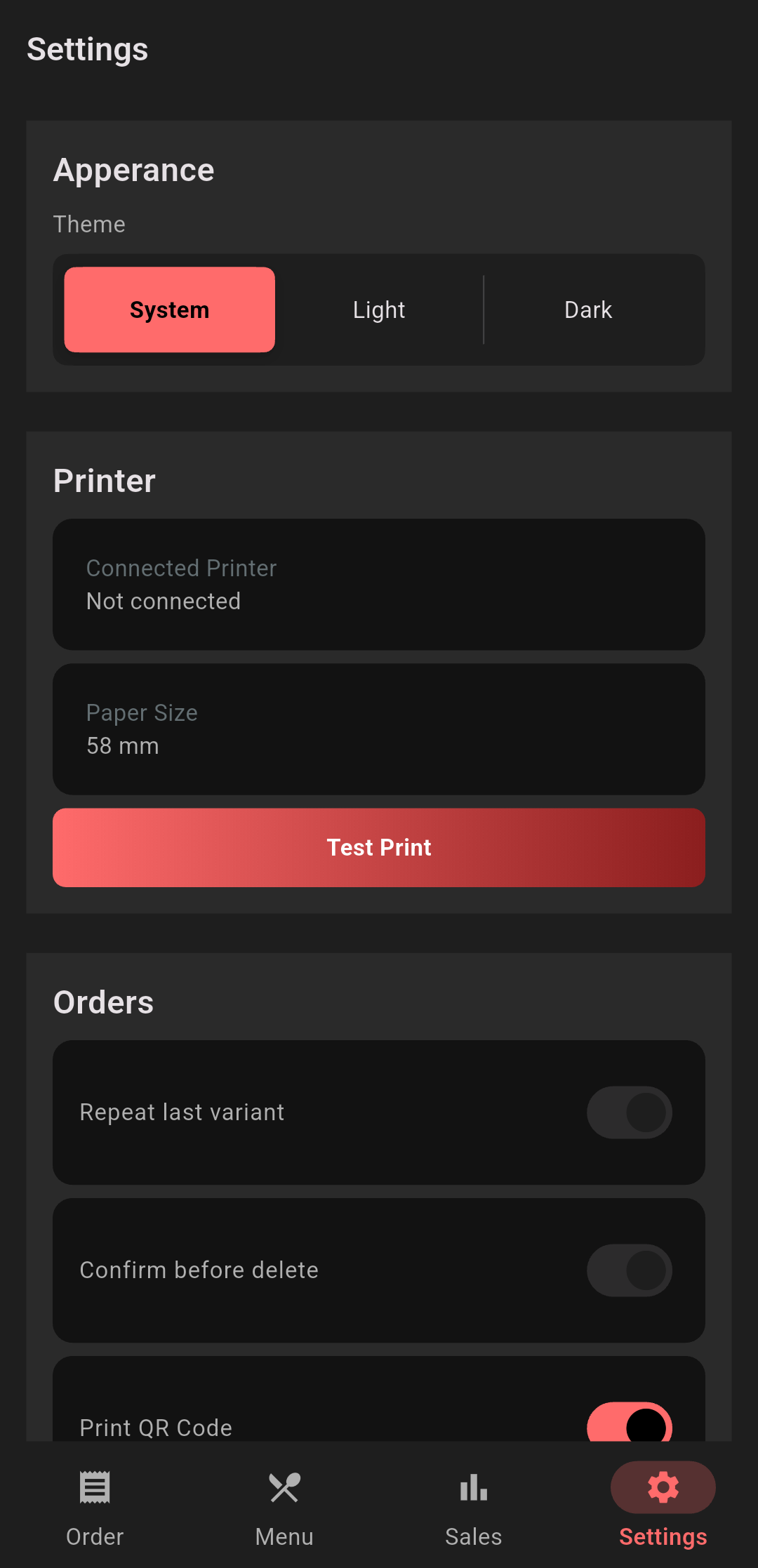
8. Dark Mode & Theming
- Fully theme-driven UI
- Consistent design system
- Works across light/dark modes
9. Accesibility Handling
Instead of breaking layouts on large font sizes:
- Text scaling is clamped intelligently
- Layouts use flexible constraints
- Critical UI remains usable
Balancing:
Accessibility × Usability
10. Sound & Haptics (POS Feedback)
- Click sound on item add
- Success / error feedback
- Low-latency playback for rapid taps
This creates a responsive, tactile experience
Multi-Platform by Design
Built with Flutter, the app runs on:
- Android, iOS (primary POS device)
- Linux, Windows (desktop POS setup)
- Web
This enables:
Same codebase -> multiple environments
Perfect for growing businesses
Tech Stack
- Flutter -> UI + cross-platform
- Supabase (Postgres) -> backedn + RPC
- ESC/POS printing -> hardware integration
- Hive -> local caching
- Custom design system -> consistent UI
Key Engineering Decisions
1. RPC-driven backend
Complex operations (orders + variants) handled in Postgres:
Fewer API calls
Better performance
Cleaner client code
2. Variant-first data model
Instead of duplicating items:
Menu Item + Variant Groups + Options
-> flexible and scalable
3. Chunked printing
Avoids:
Bluetooth buffer overflow crashes
-> stable printing experience
4. Controlled text scaling
Prevents:
Broken layouts on high font sizes
-> production-ready UI
What This App Solves
At its core:
It removes friction from daily operations
- Faster billing
- Fewer missed orders
- Better visibility into sales
- Reliable printing
- Works across devices
What's Next
Possible future improvements:
- Sales charts (daily / weekly trends)
- Category-wise analytics
- Export reports (PDF / CSV)
- Inventory tracking
- Multi-user roles
This project started as a simple POS tool.
But it evolved into: A complete operational system for small food businesses
The focus was never just features -
It was:
Speed, reliability, and real-world usability.
If you're building something similar or exploring Flutter for production apps, I'd love to hear your thoughts.