

Shubham Maurya
5 min read · Tue Mar 12 2024
Rust to Web: Compiling for Browser with WebAssembly
WebAssembly (Wasm), is a binary instruction format that serves as a portable compilation target for high-level programming languages such as C, C++ or Rust. It is designed to be a low-level virtual machine that runs code at near-native speed in web browsers.
WebAssembly is commonly used to enable the execution of performance-critical tasks, allowing web applications to run complex algorithms with improved efficiency.
One of key goals of WebAssembly is to provide a universal and efficient platform for running code on the web, making it easier for developers to write performance-sensitive components for web applications. It allows languages other than JavaScript to be used in the browser, opening up new possibilites for web development.
In order to compile Rust to wasm we first need to install wasm-pack.
wasm-pack is a tool that makes it easier to integrate Rust code into web projects. It streamlines the process of building, bundling, and publishing Rust and WebAssembly code for the web.
We can install wasm-pack using the following command.
cargo install wasm-packFollow this link for more info and other methods to install wasm-pack.
For now we can try to create a small wasm module that calculates fibonacci sequence in wasm. Let's create a new rust project using cargo.
cargo init fibonnaci-wasmThis creates a binary crate.
Next up we need to add wasm-bindgen and add following changes in Cargo.toml file.
# ---
[lib]
name = "lib"
crate-type = ["cdylib", "rlib"]

[dependencies]
wasm-bindgen = "0.2.92"
# ---
wasm-bindgen package allows us to use #[wasm-bindgen] macro which generates the necessary glue code to enable seamless interaction between Rust code compiled to Wasm and JavaScript code in web applications. It provides a convenient way to handle data types, function calls, and other interactions between Rust and JavaScript.
In addition to adding wasm-bindgen, we also defined the lib type as "cdylib" which stands for C Dynamic Library and, it indicates the compiled output should be a dynamic library that can be linked with other languages. For WebAssembly target it means to create a *.wasm file without a start function.
We also have to specify the name of lib since we cannot have the same name for binary and lib. The name for lib can be anything.
Also since we created a binary package, we have to add a lib.rs file in /src/lib.rs.
Now we can just build the project, which will download all the packages and compile them.
cargo buildLet's write a function which prints fibonacci sequence till a count.
pub fn fibonacci(count: i32) {
    let mut a = 0;
    let mut b = 1;
    let mut c = a + b;

    println!("{}", a);
    for _ in 1..count {
        println!("{}", c);
        c = a + b;
        a = b;
        b = c;
    }
}
and use this function in main.rs
use lib::fibonacci;

fn main() {
    let count = 10;
    println!("Fibonacci sequence till: {}", count);
    fibonacci(count);
}
This will print the fibonacci sequence until 10 digits.
Now let's compile this code to wasm. We need to add following lines in lib.rs.
use wasm_bindgen::prelude::*;

#[wasm_bindgen]
pub fn fibonacci(count: i32) {
    // Implementation
}
We can now use wasm-pack for building wasm modules.
wasm-pack build --target web --out-dir web--target - flag allows us to run directly in browser without needing a bundler like webpack.
--out-dir web - specifies to output the files in web directory, default directory is pkg
- web
  |- .gitignore
  |- lib_bg.wasm
  |- lib_bg.wasm.d.ts
  |- lib.d.ts
  |- lib.js
  \- package.json
lib_bg.wasm - The compiled wasm module.
lib_bg.wasm.d.ts - Declarations and exports from libbg.wasm
lib.js - Exports js interop functions that can be used to instantiate and call wasm.
lib.d.ts - Declarations for lib.js
Let's add an html file index.html in the web directory and use the exported fibonacci function.
<!doctype html>
<html lang="en">
    <!--> Include head and meta tags </!-->
    <body>
        <script type="module">
            import init, { fibonacci } from './lib.js';

            let wasm;
            async function run() {
                wasm = await init();
                console.log(wasm);
                fibonacci(10);
            }

            run();
        </script>
    </body>
</html>
Make sure to set the script type as module.
Opening this file in browser and looking at the console window we can see that wasm object is being logged in console. It includes memory and reference to fibonacci function. However we can notice that the fibonacci sequence was not logged into console.
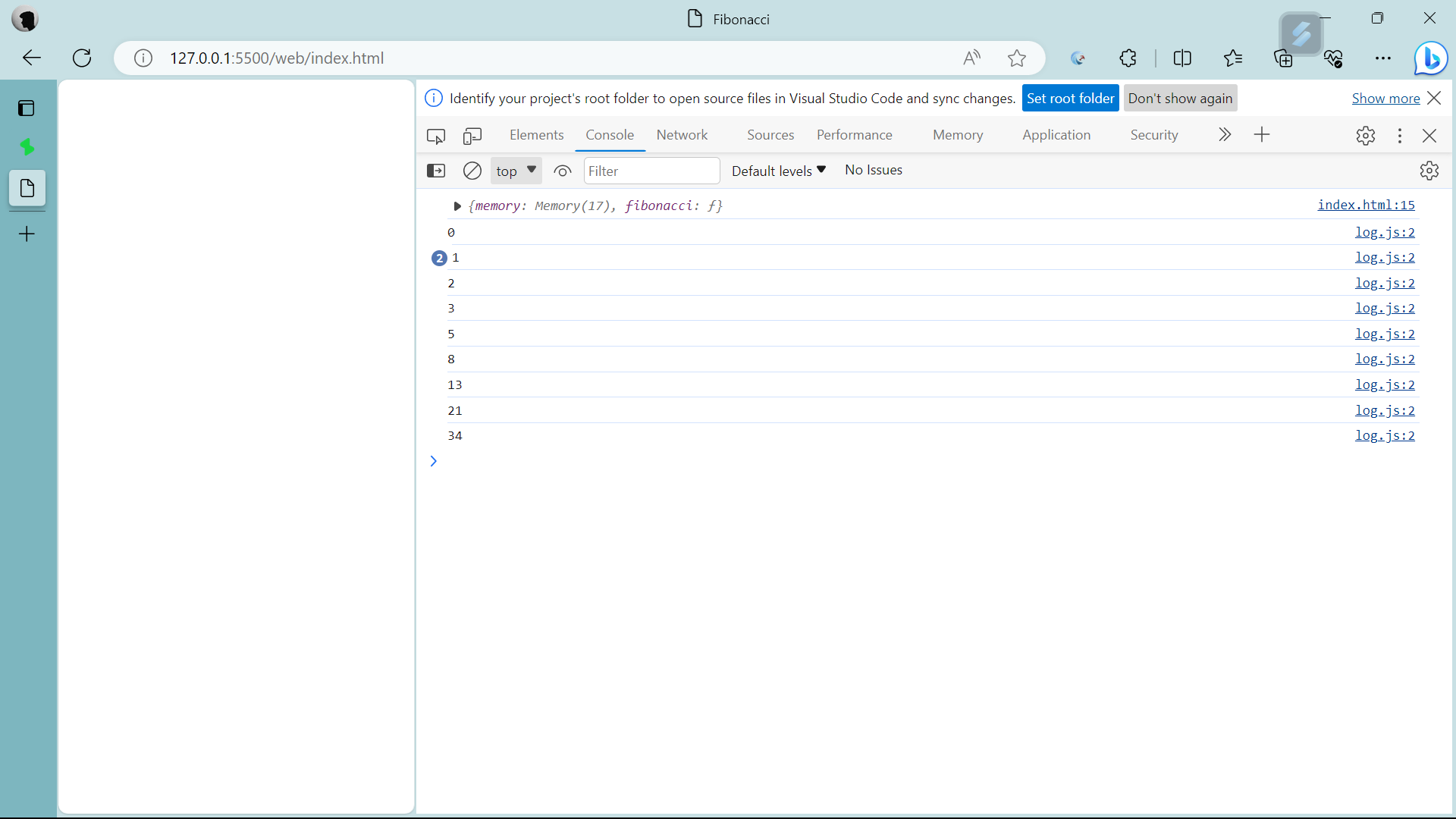
That is because we use the println!() in rust which does not log into browser console.
So in order to log output to console we will have to call JavaScript function from Rust.
First we will create a wrapper function which is reponsible for logging to console.
// function definitions to be implemented by other platforms
#[cfg(target_arch = "wasm32")]
#[wasm_bindgen(module = "/web/log.js")]
extern "C" {
    fn platform_log(message: &str);
}

// Native rust implementation
#[cfg(not(target_arch = "wasm32"))]
fn platform_log(message: &str) {
    println!("{message}");
}

pub fn fibonacci(count: i32) {
    let mut a = 0;
    let mut b = 1;
    let mut c = a + b;

    platform_log(format!("{}", a).as_str());
    for _ in 1..count {
        platform_log(format!("{}", c).as_str());
        c = a + b;
        a = b;
        b = c;
    }
}
Here we defined a platform_log function which is declared twice. Once inside an extern block .
The second declaration is native rust and will be called when building and running the binary.
The first declaration is inside an extern block.
It means that this is foreign function and the has to be implemented for specific platforms during the linking stage.
We use the #[cfg(target_arch = "wasm32")] to include this extern block only when the target_arch = wasm32. Meaning this declaration block is only included when the target-arch is set to wasm32 which happens when we are compiling to wasm.
Next we use #[wasm_bindgen] to include this function in compiled wasm file. we also have an argument module = "/path" which defines the path to a file containing the implementation of the functions in extern block.
The second declaration is the native rust implementation. This is called when we compile and run the native rust binary.
And we use the #[cfg(not(target_arch = "wasm32"))] to only include this when building a binary package and not in wasm module.
We also have to implement the platform_log function in JavaScript, so we create a file in /web directory which just wraps the console.log() function in JavaScript.
Make sure to export the functions
export function platform_log(message) {
    console.log(message)
}
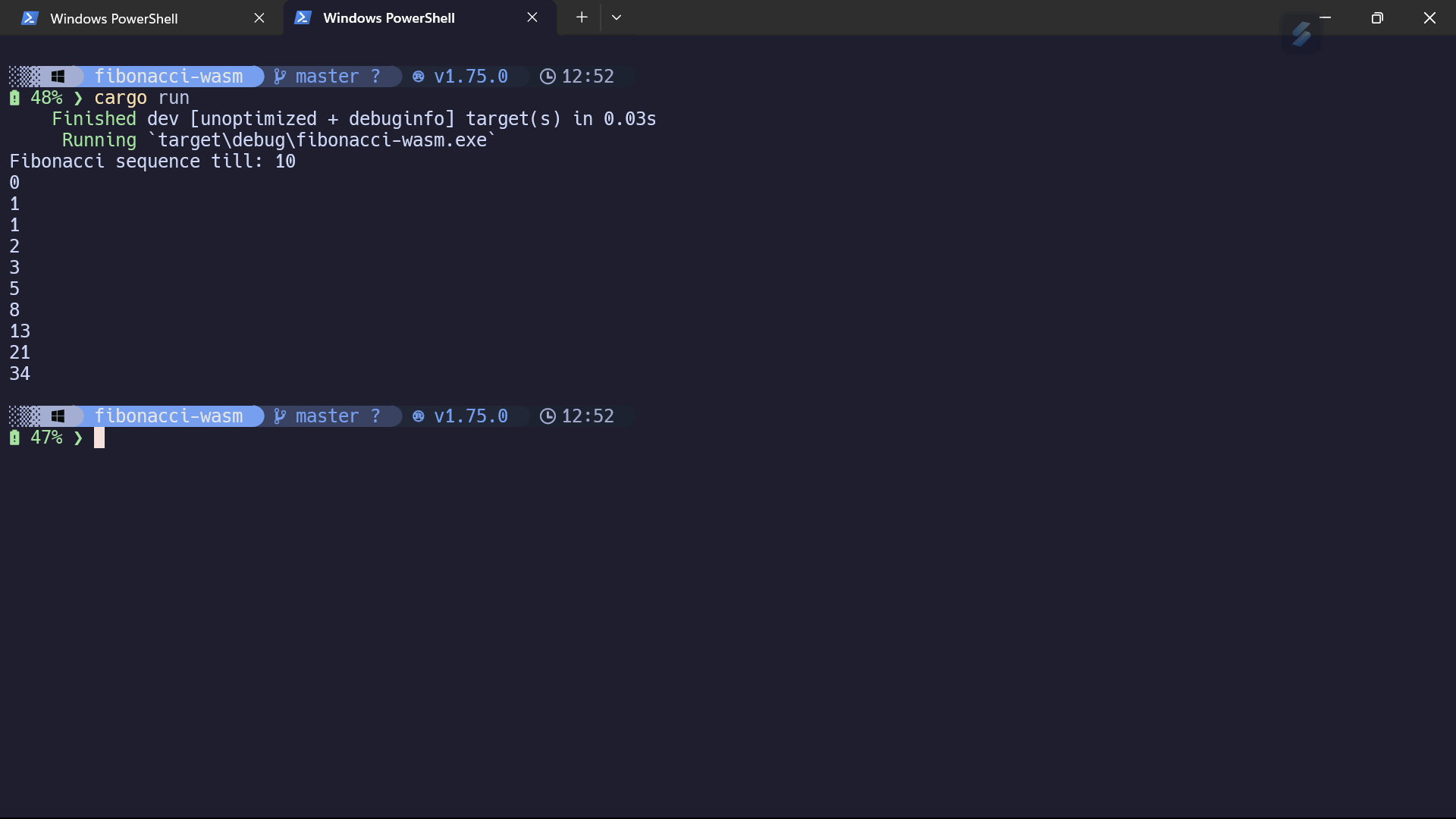
And we are done with the implementation. Now build again using wasm-pack and we can see that the fibonacci sequence is logged to the console.
Output on the Web -
And native -
And that's how we compile Rust to Wasm and use it browser on a webpage.
Here's something more interesting I made using this workflow boids